Request a custom amount of AEU
If none of the packs fit, you can ask for exactly the number of AEU you need. A platform admin reviews your request before the AEU are added.
Before you start
- Your request goes to the Dalfin platform admins. Only they can see AEU requests and approve them.
- You can ask for between 1 and 1,000 AEU in one request.
Steps
Check your balance
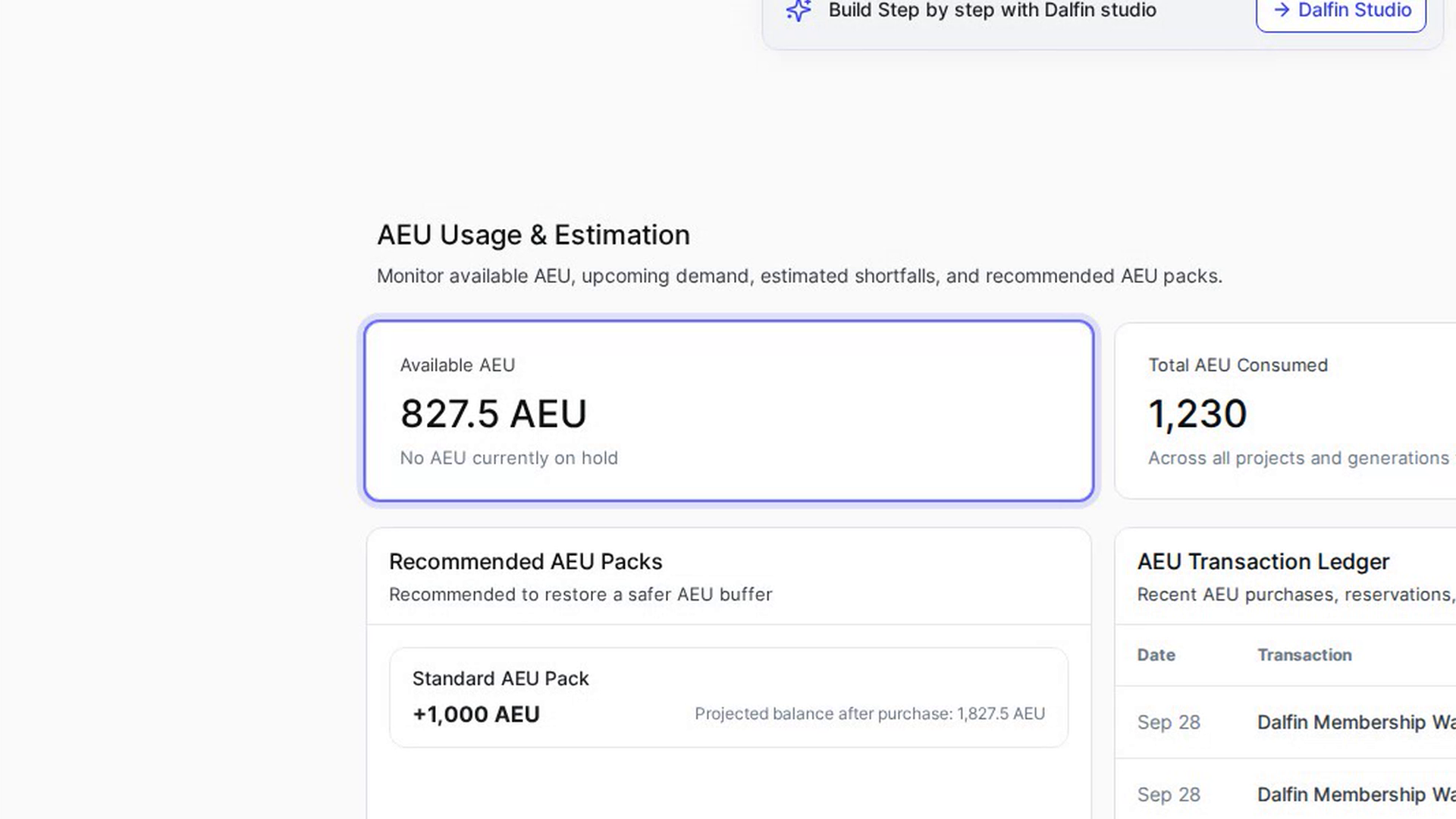
On your Dalfin home, go to AEU Usage & Estimation. The Available AEU card shows how many AEU you have now.
Open Request AEU
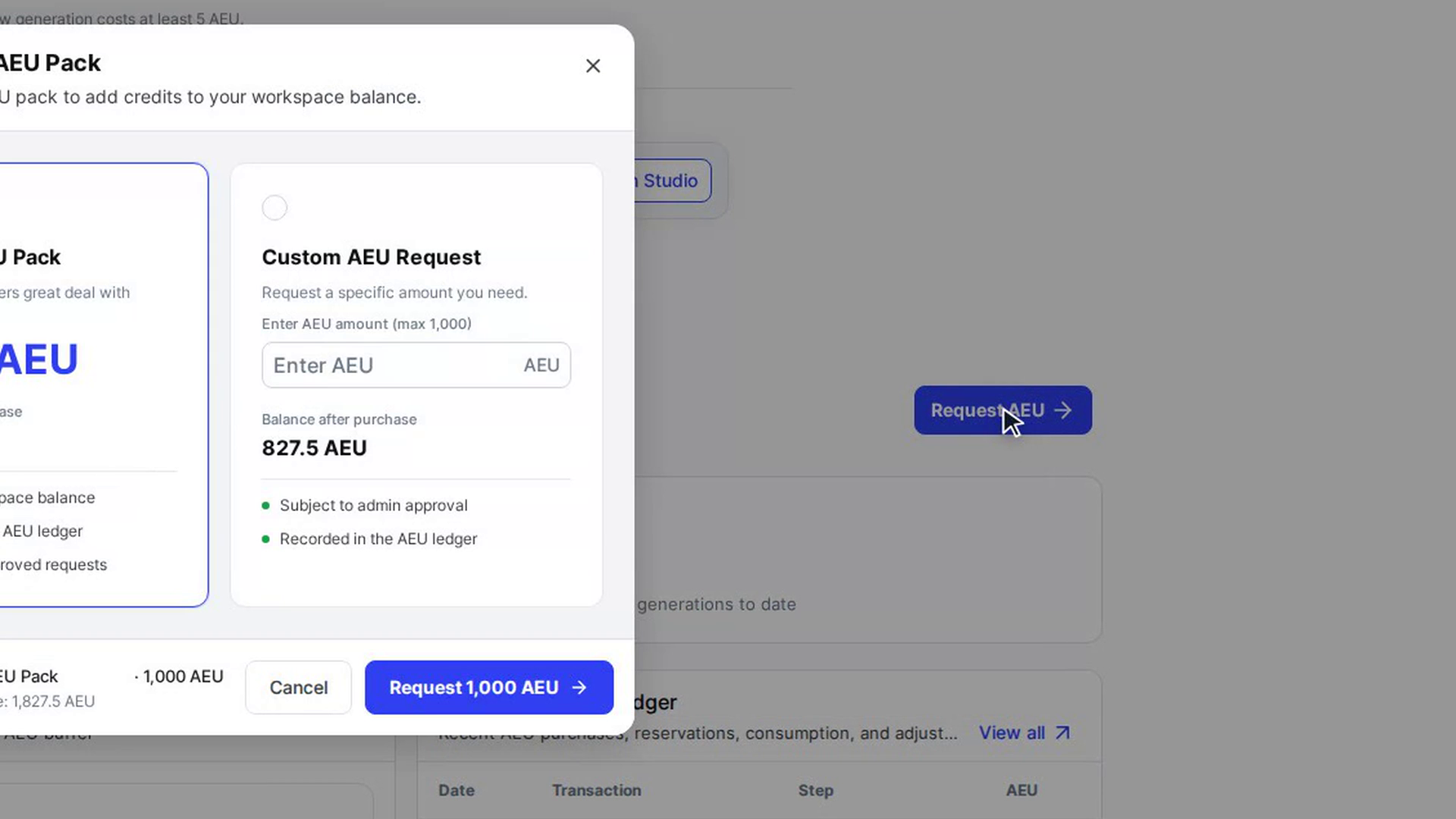
Select Request AEU. The Select an AEU Pack window opens with the packs you can choose from.
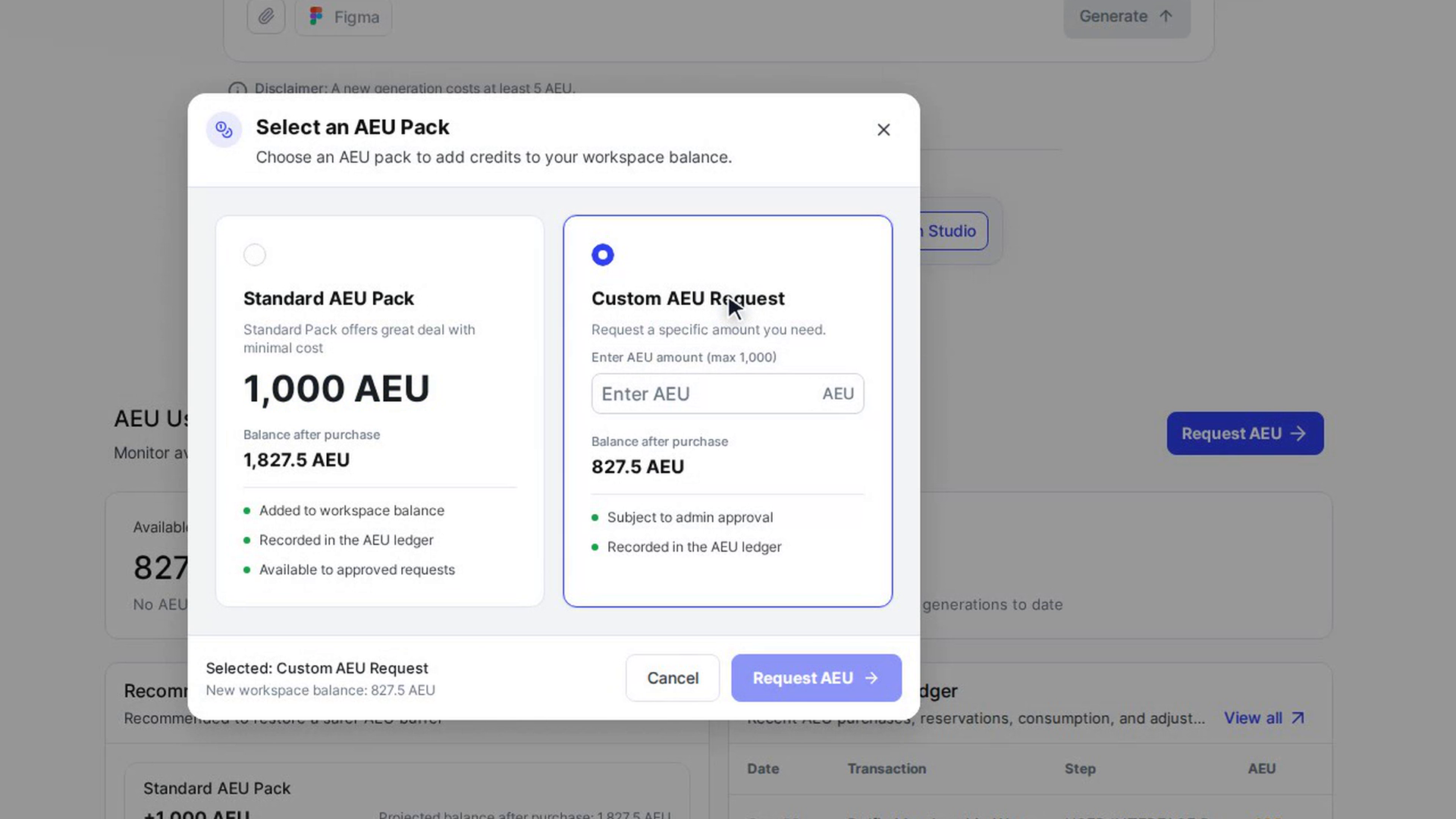
Choose Custom AEU Request
Select the Custom AEU Request card ("Request a specific amount you need."). It is always the last card in the window.
Enter the amount
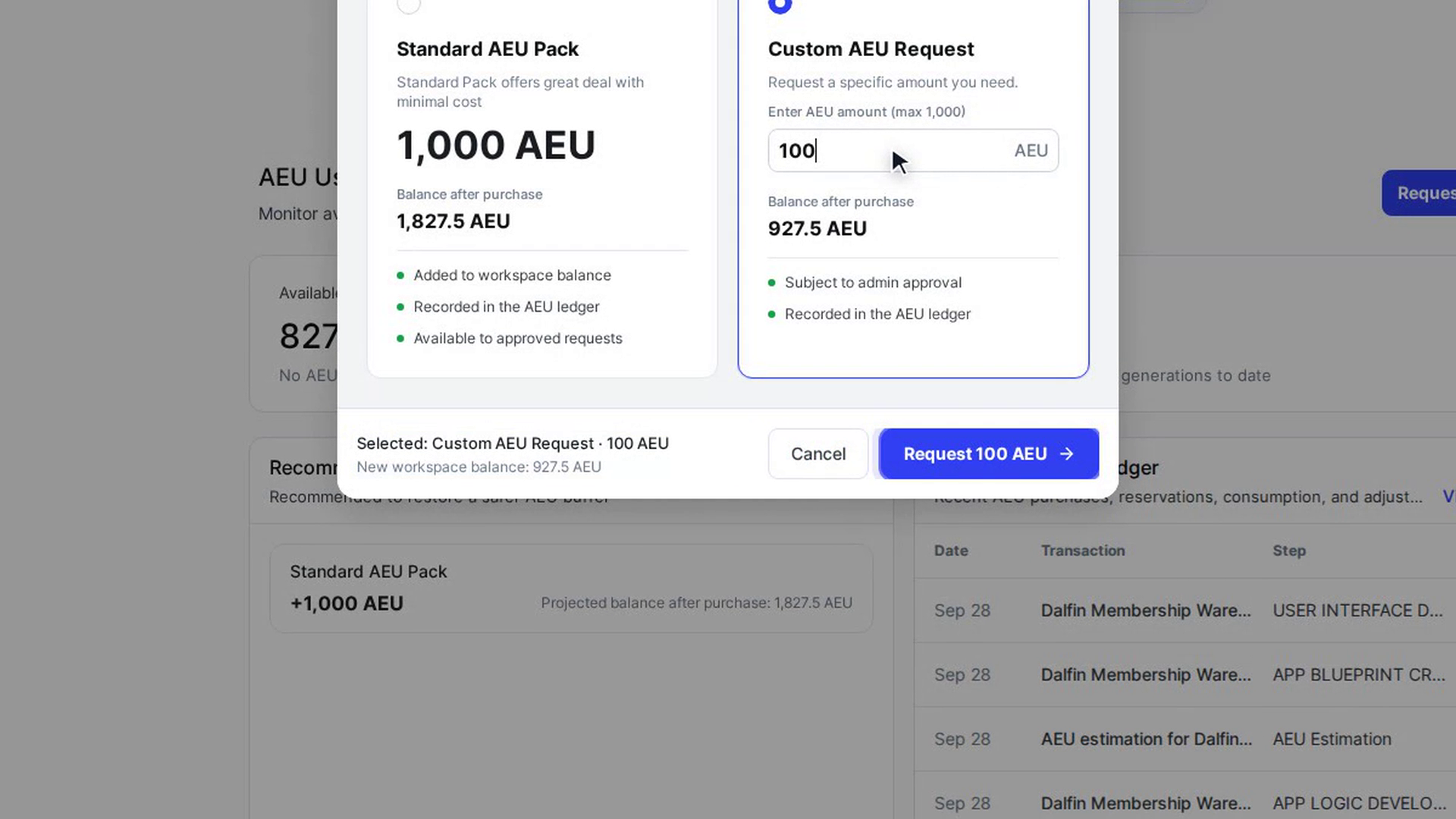
In Enter AEU amount (max 1,000), type how many AEU you need. Only whole numbers are accepted, and anything above 1,000 is reduced to 1,000. The card updates the Balance after purchase, and reminds you that the request is "Subject to admin approval" and "Recorded in the AEU ledger".
Send the request
Check the summary at the bottom of the window (Selected: Custom AEU Request and the New workspace balance), then select Request (for example Request 100 AEU). The window closes and the AEU section refreshes.
Once an admin approves the request, the AEU are added to your balance. You can follow it in the AEU ledger.
Screenshots
Step 1: Check your balance
Step 2: Open Request AEU
Step 3: Choose Custom AEU Request
Step 4: Enter the amount
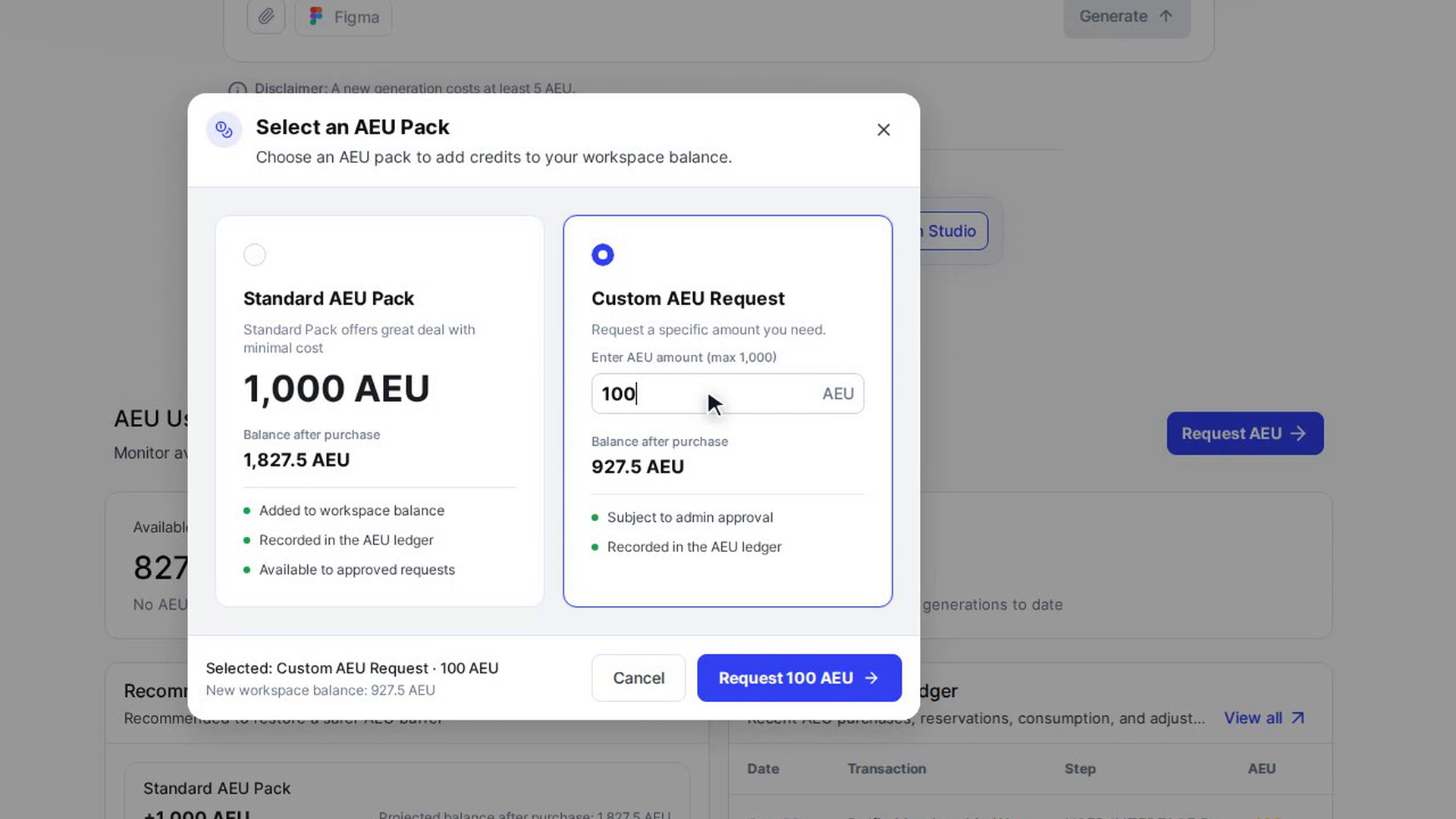
Step 5: Send the request
Watch how
Tip: The Request button stays greyed out until you have typed an amount.